Initial setup
For the initial setup, the local API of the Bosch Connect-Key K40RF or Buderus MX400 Gateway serves as the primary interface for integration by the installer or end user.
The setup process generally involves these steps:
-
Install the Heat Pump
-
Install K40RF or MX400 Gateway (see manual)
-
Connect the Heat Pump with the Bosch HomeCom Easy or MyBuderus app or IVT anywhere II app. Connect the Gateway to Router either via WLAN or Ethernet. The respective LED blinks green when connected to the network successfully. It is steady green when connected successfully to the internet. This is also described in the app or the online manual of the Gateway.
Note: For local connection to partner device via Ethernt. The app installation is not required but recommended to receive latest software updates on the gateway -
Local API Connection Options
- Local API via Ethernet (via Router or directly)
Set up Ethernet connection between K 40 RF/ MX400 and Partner device (connection via router or directly).
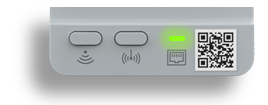
LED steady green if connected to the app. If not blinking green - Local API via WLAN (Router)
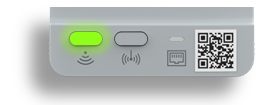
LED steady green if connected to the app. If not blinking green
- Local API via Ethernet (via Router or directly)
-
On the K40RF or MX400 Gateway:
Press the RF-LED and WLAN button together.
Ethernet
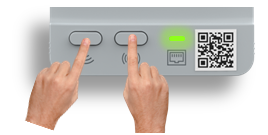
WLAN
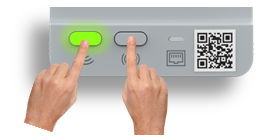
The LEDs blink shortly blue.
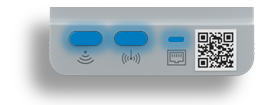
Afterwards the connection to Partner system can be established during 5 minute. Search via Partner System (in Partner app) for the Heat Pump -
After successful pairing: If connected to Bosch HomeCom Easy or MyBuderus app (precondition: internet connection is available) -> LED steady green, if only connected to the network without internet connection -> LED blinking green